Tips and Frequently Asked Questions

 Customizing the drawing of the markers.
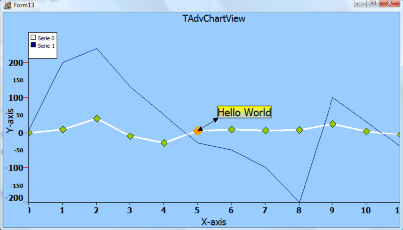
A marker can be selected. Set the SelectedColor and the SelectedSize property. Click on the marker at runtime, the marker will be shown in the selected color & size. To add code when a marker is clicked you can use the SerieMouseDown or SerieMouseUp event. This can be used for example to add an annotation at a specific point of the series.
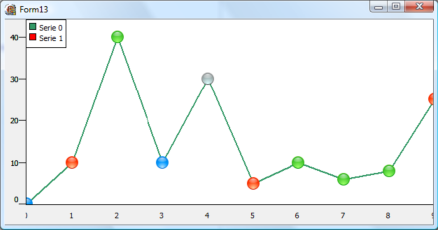
It is possible to customize the drawing of the markers. Select mCustom as marker type and use the event OnMarkerDrawValue. Follow sample code snippet shows how this can be done:
type
  TForm1 = class(TForm)
  private
     { private declarations }
  public
     { public declarations }
    procedure DrawMarker(Sender: TObject; Serie: TChartSerie; Canvas: TCanvas; X, Y,Point: integer; value: TChartPoint);
end;AdvChartview.Panes[0].Series[0].OnMarkerDrawValue := DrawMarker;
Pricing
Single Developer License
Small Team License
Site License
TMS VCL Chart
€ 125
€
70
yearly renewal
license for 1 developer
Includes
check
Full source code
check
Access to the TMS Support Center
check
Free updates and new releases
MOST POPULAR
TMS VCL Subscription
€ 895
€
450
for a 2 year renewal
license for 1 developer
Includes
check
Full source code
check
Access to the TMS Support Center
check
Free updates and new releases
check
TMS VCL Chart
check
All TMS VCL products
more_horiz
Discover more
BEST VALUE
TMS ALL-ACCESS
€ 1,795
€
595
yearly renewal
license for 1 developer
Includes
check
Full source code
check
Access to the TMS Support Center
check
Free updates and new releases
check
TMS VCL Chart
check
All TMS VCL products
check
All TMS products
more_horiz
Discover more
All prices excl. VAT. Renewal price is subject to change and only valid up to 30 days after license has expired. After renewal period a discount price is offered to renew the license.
Free Trial
Start a free TMS VCL Chart evaluation today! RAD Studio